
How to Search Cases by Name
To search Trinity County court records by name, begin at re:SearchTX. It covers participating Texas trial courts. You must register first. The service splits results into Cases, Filings, Text in Documents, and Hearings. Start in the Cases tab, then narrow by location, category, and type so similar names do not drown you out. Coverage varies from court to court. Treat any hit as a lead. It is not proof that the full local docket file sits online.
- Sign in and choose the Cases search.
- Enter the known name or case style as a keyword.
- Apply Location, Case Category, and Case Type filters when known.
- Compare court, number, style, and filed date before opening a result.
- Save the number and ask the responsible clerk about missing items.
The county calendar will not search parties by name. County Court matters may need the County Clerk. JP and municipal cases stay with their own clerks.
| Field | Type | Required | Use |
|---|---|---|---|
| Quick keyword | Text | A term is needed | Number, style, or known term |
| Location | Filter | No | Narrow by court location |
| Case Category | Filter | No | Broad subject group |
| Case Type | Filter | No | Specific type |
Trinity County re:SearchTX Tools
The official quick-reference guide walks through case, filing, document-text, and hearing searches, and it covers export and saved-search functions where a court enables them. One entry can list a filing yet still hold back the document image. Your account level, court participation, fees, and access rules set the depth you actually get. The official entry screen places the registration wall in plain view.
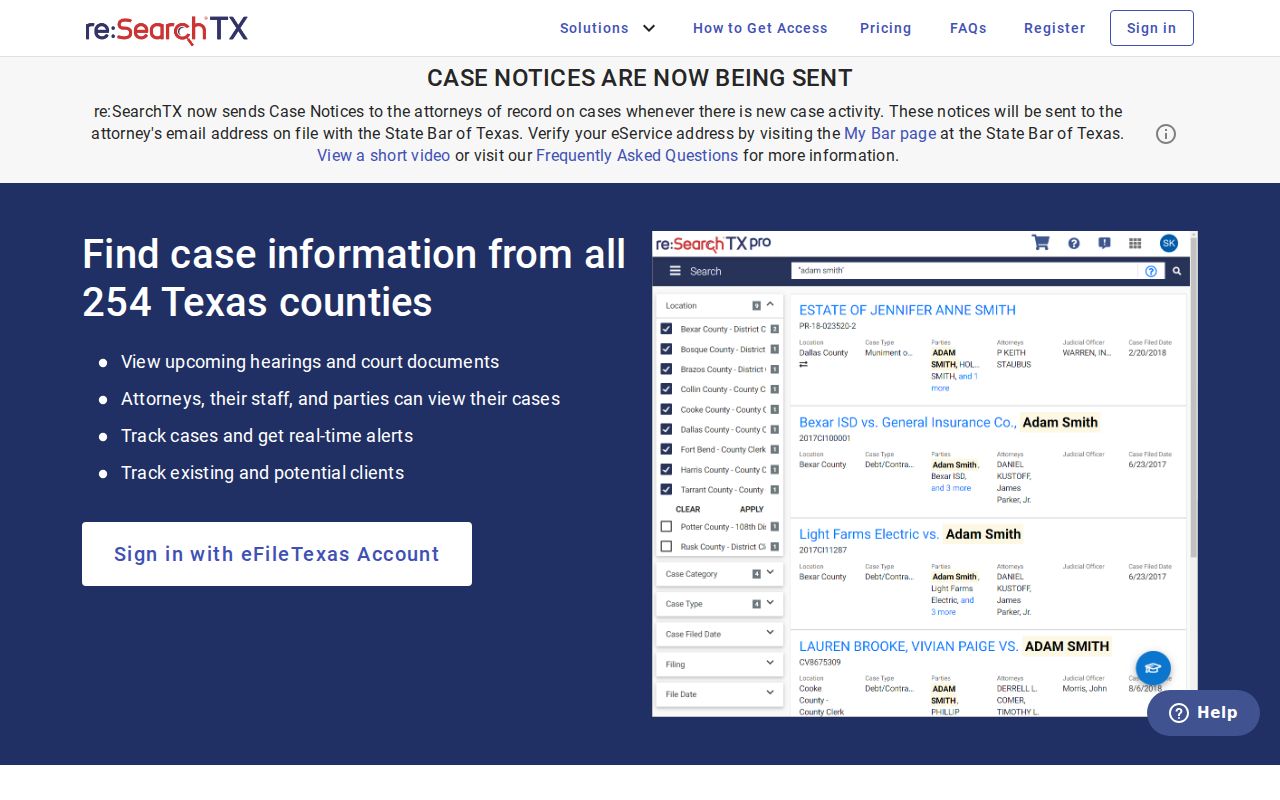
Remember that this screen is a statewide gateway. It is not proof that any single Trinity County document is open to you. Write down the court, case number, style, and result date. Those details power a clerk request when the image is missing. Ask the clerk for a plain or certified copy. Do not assume a hidden image means the whole case is sealed.
How to Search by Case Number
A case number is the strongest key for a Trinity County case lookup. Local forms use both “case no.” and “cause no.” The district setting form says CASE NO. JP plea and answer forms say cause number. No single countywide number format exists. So enter the identifier exactly as printed, such as cause number exactly as printed. Never guess a year or a type code. Match the number to the named court, too. District matters go to the District Clerk or re:SearchTX. County Court numbers belong with the County Clerk. JP and city citations stay with the named lower court. Even a valid number can come up empty in the wrong system.
Trinity County iDocket Limits
The Office of Court Administration names iDocket as the District Clerk’s local case-management system. That label does not mean Trinity County opens a public countywide iDocket screen. The county posts no such party search on its official pages. A clerk can run files through a system. The index can still stay closed to anonymous users.
Local is not public: iDocket supports clerk work, while re:SearchTX is the documented statewide public route for covered records.
The eFileTexas active-court chart lists Trinity in columns showing mandatory district and county civil and criminal filing plus limited search status. Limited search means the county is not fully integrated, so only an accepted filer can reach that case. It is not broad public docket access. The status table appears next.
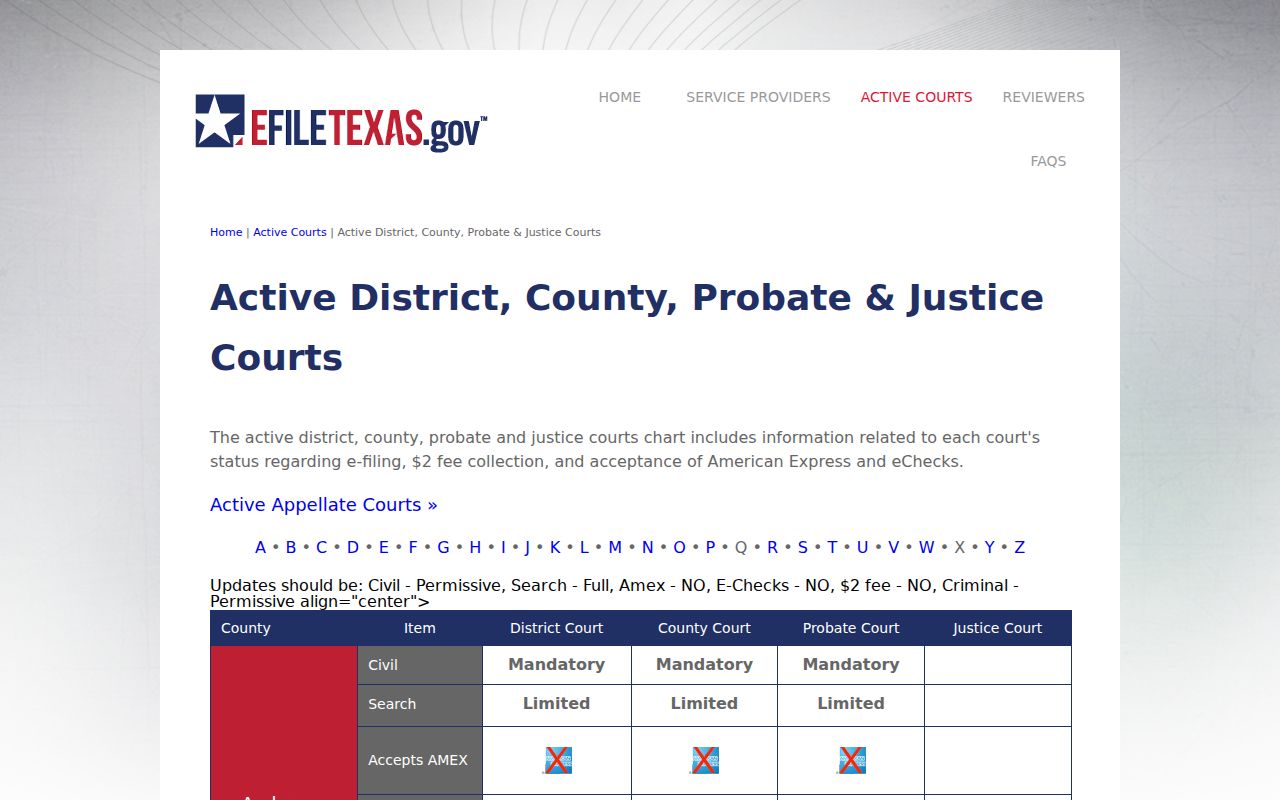
The chart explains why a filer and a public reader may have different routes.
What a Case Search Shows
A Trinity County case lookup can return case details, filings, hearings, or an available document. The docket is the activity list. The filed paper is the item behind an entry. A certified copy is a separate clerk-authenticated product. None of these are interchangeable.
| Case or cause number | The court identifier used to retrieve the file. |
|---|---|
| Case style | The caption used to distinguish similar results. |
| Court and location | The court that owns the record. |
| Category and type | The broad and specific case classes. |
| Filings | Indexed submissions; an image may be unavailable. |
| Hearings | Proceeding data subject to later reset. |
| Status | The recorded stage or disposition. |
Save enough detail to pull the result up again. Confirm any hearing date with the current docket or the coordinator, because a setting can move after you search.
Trinity County Appeal Searches
For appeals, use the TAMES search. It offers Case Search and Document Search side by side. You can query a full or partial appellate number, pick civil or criminal, or set a date range. You can also search by style, attorney, trial-court case number, trial county, or trial court. Choosing the Twelfth Court of Appeals narrows results to the likely local appeal. The interface keeps its appellate fields separate, as its own screen shows.
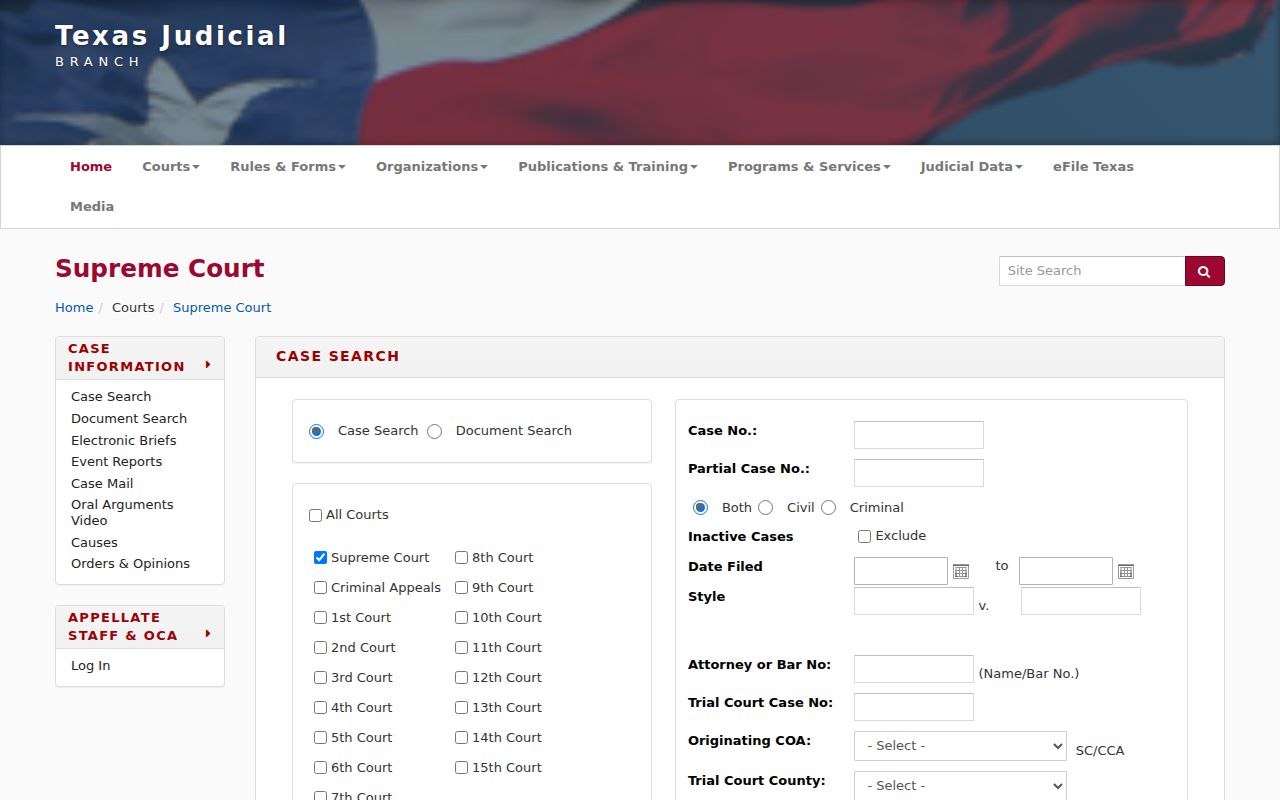
TAMES refreshes nightly and expressly excludes trial-court records. Use it for appellate filings and decisions. Use the trial clerk or re:SearchTX for the underlying trial docket. Keep both case numbers when an appeal is open.
County vs Statewide Case Search
Trinity County case lookup paths split by who keeps the file. The statewide portal searches covered electronic trial records. The local route means contacting the office that holds the docket. The District Clerk, County Clerk, and four JP clerks each control separate groups of cases. Municipal clerks keep their own cases.
| Route | Coverage | Best use |
|---|---|---|
| re:SearchTX | Covered electronic trial cases | Participating trial matters |
| District Clerk | 258th and 411th files | Older, missing, or copy requests |
| County Clerk | County civil, misdemeanor, probate, guardianship | County-level files |
| JP or city clerk | That lower court | Citations and JP civil cases |
| TAMES | Texas appeals | Twelfth Court cases |
The District Clerk answers at 936-642-1118; the County Clerk at 936-642-1208. No official page promises a free courthouse terminal. Call before you drive over. Mail, fax, email, and written request paths exist where each office publishes them, but a listed channel is no guarantee that a filing is accepted that way.
When Trinity County Finds Nothing
An empty result has several explanations. The case may fall outside coverage, be older, or not yet be synchronized. It could sit in another court's index, be restricted, or lack only its image. None of that proves the case does not exist. Check with the court first, then retry the exact number and a narrow style search.
For district records, contact the District Clerk at PO Box 549, Groveton, TX 75845. County Court, misdemeanor, probate, and guardianship records go elsewhere. They belong to the County Clerk at 211 W. 1st St., PO Box 456, Groveton, TX 75845. A lower-court case belongs with the clerk named on its citation or form.
A strong request names the court and the number. It adds the style, the record type, and the date range. Add your preferred format, certification choice, and reply contact. The District Clerk form asks for Copies Of, Name On Case or Case #, and Certified Y/N. It also wants contact details.
Restricted Cases and Access Rules
Some Trinity County files never reach the open web, and the law explains why. Juvenile records answer to Texas Family Code Chapter 58. Under Section 85.007, details such as addresses, phone numbers, and counties of residence can be shielded in protective-order records. Rule of Civil Procedure 76a presumes civil court records are open. Yet that same rule lets parties seal them.
Two more rules shape record requests. Rule of Judicial Administration 12 covers many judicial records. Government Code Chapter 552 governs governmental administrative records instead. A written Rule 12 request must name the record. It must reach the office that holds it. That office will not create a record for you. It may also withhold material protected by law, rule, or order.
Ask pointed questions. Is the item sealed, confidential, restricted, unsynced, or just lacking an image? When a public redacted version exists, request that one. The Trinity County court record search walks through the full copy-request route.
Save Trinity County Search Details
Keep notes as you search. Write down each Trinity County docket lookup. A written log lets you repeat or verify the search later. Record the system you used, the date checked, and the exact query. Note any filters applied. Add the court name, case number, and case style. Note the result status too. A hearing that appears deserves its type and date, but confirm those with the court. A filing without an image needs its title and entry date noted. That note serves the copy request.
Those saved details also sort out confusion. Was it a portal change or a real change in the case? Where enabled, re:SearchTX offers exports or saved searches, though features vary by account. A plain written log works fine when export is not an option. Just never keep confidential material that should not be copied or shared.
Appeals and lower courts need paired numbers. For an appeal, save the TAMES appellate number. Save the trial-court number beneath it too. For a lower-court matter, note the precinct or city along with the cause number. Those pairs keep your next Trinity County case lookup from starting in the wrong office.